30+ years’ experience across the IT and technology, services, and education sectors. I write about technology, AI, digital transformation, and the lessons learned from decades of working with changing technologies. Comments, discussion, and feedback are always very welcome.
Pwn2Own HP LaserJet Hack : Guess the song...
Get link
Facebook
X
Pinterest
Email
Other Apps
The security researchers F-Secure Labs turned the printer into a music player. Can you guess the song?
This tutorial explains how to set up a headless RAG-enabled large language model (LLM) on an Ubuntu server. By the end, you will be able to chat with your LLM running locally on your own infrastructure. Your conversations will not be sent to third-party servers, ensuring that your prompts, responses, and any uploaded files remain private and under your control. A quick word on security Effective network security begins with a strong perimeter defence. One of the most critical steps is configuring a firewall on your router and hosts to explicitly deny all unsolicited inbound traffic from the internet. This “default deny” posture ensures that no internal services are accidentally exposed, creating a controlled environment where all communication is initiated from within your trusted network. A common and potentially dangerous misconception is that Network Address Translation (NAT) alone provides sufficient security. While NAT obscures internal devices, it is a routing mechanism rather...
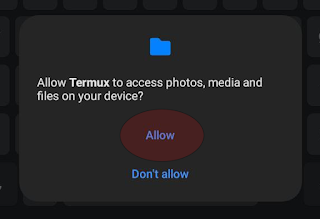
Introduction This project describes how I synchronise my LogSeq folder on GitHub on Android devices. I wanted to be able to work on topics in LoqSeq on my Android devices besides my PCs. Most of the screen shots and references relate to LogSeq, but you can adjust them to your needs. The solution described here is one in which the synchonization with the repository will be manual. In this scenario, one would synchronise with the repo before opening the tool (LogSeq in my case) and update the repo again when you're done. The Steps ( skip if you want to jump directly to the actions ) This tutorial describes how to install Termux on an Android device. Termux is an open-source Android terminal emulator and Linux environment application. After Termux is updated and running, a folder on the Android device is mapped to Termux. GitHub is installed, and the repo is cloned to this folder. The Termux folder used for the repo has to be refle...

This comment has been removed by a blog administrator.
ReplyDelete