How to adjust the speed of video and audio content in VLC Media Player (and YouTube)
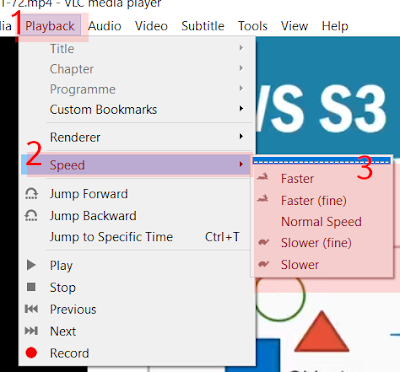
Introduction You are following a How-To video. The person speaking from behind the glass is making it sound so easy; twist here, turn there, rotate like this. For the first 35 seconds, you've been able to keep up, but now you are lagging. What no one told you is that the person demonstrating the technique has either been doing this most of their life or you are seeing the polished and highly edited 30 minutes of a two and half hour session during which the tasks were performed over and over countless times. The bottom line is that you are watching things performed by someone skilled in the task. One method is to constantly reverse the video, playing back from the last 30 seconds. Tedious at best, problematic if your hands are occupied or covered in cake mixture or grease. The reverse side of this playback-speed coin is hearing someone rambling before the actual topic the title promised to cover. Intros, like and subscribe, sponsor, patron, and additional yada yada to turn a 4-minut...