Posts

Showing posts with the label Microsoft Excel

ETransL Technical: Update MetaData

Image
Quick overview This module is invoked by all Operations except  SK  (which does nothing). The invocation takes place before the actual operation is evaluated. It evaluates the  MetaData  string, and replaces any reference to a Title within the Template with its data. The RegEx pattern the solution looks for is '<;<(.+)>;>'. There can be multiple Titles. The module looks up Titles that precede the one being processed. If a Title is not found, the string is treated literally and a warning is written to the log file. Example <;<Fare_1912>;> x <;<Inflation>;> Before Operation  CO  is evaluated, this module will replace  <;<Fare_1912>;>  and  <;;>  with the results obtained in those Titles. If the result of Title  Fare_1912  was 7.63 and the result for  Inflation  was 29.98, the MetaData string would be updated as shown below before the module related to Operation ...

ETransL Technical: Load and Validate the Template Workbook

Image
Quick overview The template workbook is the document that drives the ETransL engine. It is possible to have different templates processing the same transaction file. ETransL computing engine will, for each row in the transaction file, process the template, commencing at column B onwards until it encounters the first blank column. This module will: size arrays for the different parameters that will be read from the template file validate that all the columns in the template are valid populate the arrays with the read data. Flow Diagram Solution walk through Determine the total number of columns that are make up the Template Workbook. The starting position is user defined. Create arrays to store the different parameters that make up a single template column. The following arrays will be created: Title - Each column must have a unique title. This is because an operation may reference another column and the title is the way these can be uniquely identified. Operation - This describes the...

Join the effort ,;, Use the tool ,;, Spread the word

Image
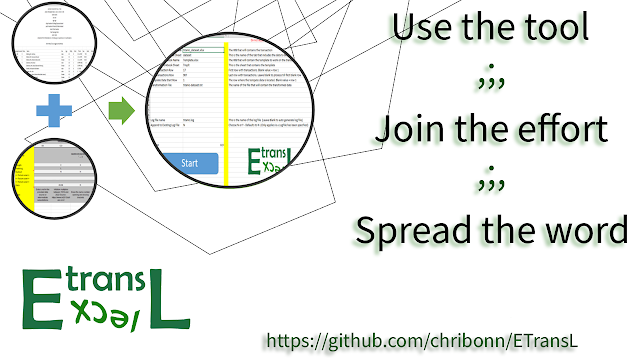
ETransL is  ETL  engine that converts data imported into Microsoft Excel to fixed or comma delimited text.   We would like to develop this tool further and can only do so with   YOUR   help. Read the tutorials and Beta test ETransL by applying it to your data transformation projects. Is there a function not catered by ETransL. If its not on the wish list suggest it. We will evaluate al requests. Want to join the development effort. We are looking for: Github gurus VBA developers Documentation authors Social media influencers ETransL specialists to create use cases. Want more information? Stuck? Reach out. Visit:  ETransL GitHub page