Posts

Showing posts with the label #HOWTO

Proxmox-NUT Homelab HOWTO - Step 99: Conclusion and going forward

Image
Step 99: Conclusion and going forward We've reached the end of this How-To, and I hope you found it informative and helpful. Feel free to download the VM with its snapshots to experiment and expand upon what's been covered. For instance, if you crack the email shutdown mechanism, want to explore Proxmox backups, or demonstrate ACPI usage on Linux, you can start from a suitable snapshot. To make it easier for others, please take a snapshot of your work on a specific topic. If you share the enhanced VM, I'll distribute it to others. We're also looking for someone to temporarily share 50GB of fast server space. Let me know if you can help. Thank you for following along. Please consider sharing, liking, and subscribing to support our work. Take Care   Video     Links YouTube     https://www.youtube.com/@chribonn   Blog     https://www.AlanBonnici.com      Medium     https://medium.com/@chribonn   ...
How to clone and synchronise a GitHub repository on Android

Image
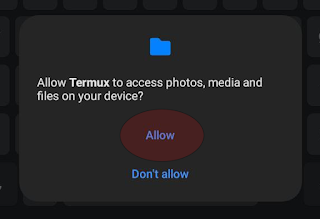
Introduction This project describes how I synchronise my  LogSeq  folder on GitHub on Android devices. I wanted to be able to work on topics in LoqSeq on my Android devices besides my PCs. Most of the screen shots and references relate to LogSeq, but you can adjust them to your needs. The solution described here is one in which the synchonization with the repository will be manual. In this scenario, one would synchronise with the repo before opening the tool (LogSeq in my case) and update the repo again when you're done. The Steps ( skip if you want to jump directly to the actions ) This tutorial describes how to install  Termux  on an Android device.  Termux  is an open-source Android terminal emulator and Linux environment application. After Termux is updated and running, a folder on the Android device is mapped to Termux.  GitHub  is installed, and the repo is cloned to this folder. The Termux folder used for the repo has to be  refle...

Amazon Polly

Image
Amazon Polly is a TTS (Text-to-Speech) service that, according to Amazon, uses deep learning. The GUI interface is straightforward; one selects one of the two engines, Neural or Standard. Neural is more human sounding. Languages and voices can vary depending on the engine. Voices reflect the dialect, register, and jargon that are typical for a region or country. For example, under English, there are Australian, British, Indian, Irish, New Zealand, South African, US, and Welsh variations. Once the language is selected, the Voice drop down list is populated with available voices for that language. As with languages, certain voices are only available for a particular engine. Voices vary in pitch, loudness, speed, and tonality to simulate different ages and sexes. These controls make it possible to generate speech as a young girl or an old man. There is an option to enable Speech Synthesis Markup Language (SSML) to fine-tune the generated output. Amazon supports a subset of the W3C SS...

HOWTO Install, Configure and Use Watch-Win32_UPS (UPSMonitor)

Image
This HOWTO explains the Watch-Win32_UPS PowerShell Uninterrupted Power Supply (UPS) utility. Watch-Win32_UPS allows you to monitor and take and shut down your computer if there is a power failure. It explains how to set it up, delves into the code and invites you to join the development effort behind this tool. GitHub URL for Watch-Win32_UPS: https://github.com/chribonn/UPSMonitor ​

HOWTO Find out the full model reference of your Samsung SmartTV and the installed Firmware version.

Image