Posts

Securing your Web Server using Let's Encrypt and Certify-The-Web

Image
The internet is not a secure place. If you’re not aware of this fact just google “ computer security stories ” or “ data breaches ” and click on the first few links that come up. All content on the internet needs to be secured. This article focuses on the secure transmission of data between your browser and the website that you are connected to. This is known as Hyper Text Transfer Protocol Secure ( HTTPS ).  In order to secure communications certificates are used to encrypt data between you and the web site. A Certificate Authority (CA) is an entity that can issue, renew and manage these certificates. Take a situation in which you are interacting with your bank via its web site. You expect: that: The transactions, balances and other information from the banks IT systems are for your eyes only and no one can intercept these transmissions by introducing themselves between your bank’s computer and your device. This is known as the man-in the-middle attack; No one can manipul...

Monetization on the Internet

Image
Companies that are active on the internet do so because they hope that this medium will allow them to have a positive impact on their revenue stream. A large majority of companies use the internet as a point of presence like a virtual showcase or trade directory to highlight their goods and services. They setup a static or semi static website with an “About Us”, “Our Products/Services” and “Contact us” pages. Their internet presence is an economical (half-hearted?) way to justify a WWW address on the business card and it looks nice with the matching email address. Then there are companies that are out to actively monetise. They are using the internet as a major revenue stream. Some organisation’s revenue source is uniquely through internet activities. This article focuses on these organisations. Internet monetization can be categorised as follows: 1. Direct sales of goods and services. This model mimics the model in which the client “picks” a product or service off a shelf and p...

HOWTO Generate password protected OpenVPN client configuration using EasyRSA.

Image
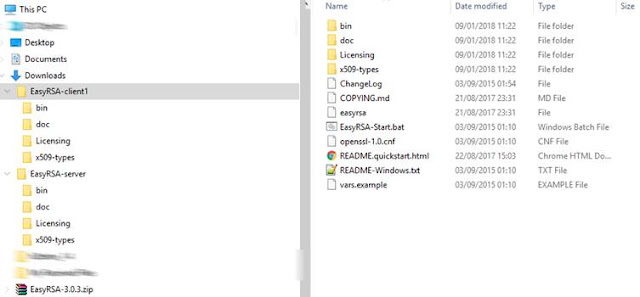
Latch on article This piece latches on to an earlier article titled HOWTO setup OpenVPN server and client configuration files using EasyRSA available from http://www.alanbonnici.com/2018/01/howto-setup-openvpn-server-and-client.html . Go to that post for information on how to setup the server environment and generate certificates that are required to establish an OpenVPN connection. What’s New This article covers the following topics: Portability of the EasyRSA environments; Creating additional clients related to the same server; Creating a password protected client. Portability of the EasyRSA environments All EasyRSA script commands operate within the EasyRSA folder and pki subfolder. No settings are written in the registry or in some area of your computer out of the EasyRSA directory. Also all EasyRSA script commands are relative to this folder. This makes the EasyRSA environment self-contained and portable. For example, the EasyRSA server environmen...

HOWTO setup OpenVPN server and client configuration files using EasyRSA

Image
Introduction OpenVPN allows client computers to tunnel into a server over a single UDP or TCP port securely. This HOWTO article is a step-by-step guide that explains how to create the server and client OpenVPN configuration files that makes this possible. In the process this article explains how to create the public key infrastructure (PKI) so that a client can securely communicate with the server. OpenSSL is the foundation for the security functionality of OpenVPN. For this tutorial you will need the following software: OpenVPN. You can download the latest version of OpenVPN from https://openvpn.net/index.php/open-source/downloads.html EasyRSA is the tool people use to create the Public Key Infrastructure (PKI) for OpenVPN. Download the latest release of EasyRSA from https://github.com/OpenVPN/easy-rsa/releases . There is not installation required. Extract the contents of the archive into a folder. OpenVPN is available on various platforms. The generation of the...

Security Virtual Keyboards: Why you should avoid using them

Image
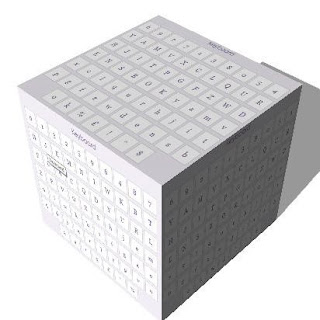
Virtual keyboards are popup keyboards that allow you to enter text into a form. These keyboards appear on the screen and allow you to type in text. On devices such as smartphones in which maximising the viewable screen is crucial, virtual keyboards are ideal because they appear only when they are required. After they are done with they disappear, returning the area they occupied back to the user. In those environments in which miniaturization is not so important, physical keyboards are normally the preferred device to enter text into an application although many computers support virtual keyboards to cater for those instances when a keyboard is not available. Security Virtual Keyboards (SVKs) have evolved from the standard virtual keyboard and are marketed by organizations that sell or use them as tools that enhance security. These keyboards are normally associated with particular text boxes in a form and will automatically pop up when the person filling the form lands on the text...

20170814 Giarratana Circular

Photos: https://goo.gl/photos/VsrShiA7kDjBC2dE9

20170813 SP90

...